
Core Web Vitals: How to Fix Mobile Speed Issues and Improve Your Google Rankings
In today’s digital landscape, having a stunning website is simply not enough. If your site loads slowly on a smartphone, potential customers will bounce back immediately. Furthermore, with Google’s continuous focus on user experience, mastering Core Web Vitals has become a critical benchmark. Therefore, for digital agencies, understanding these performance metrics through proper audits is the ultimate key to unlocking higher organic rankings.
What Are Core Web Vitals and Why Mobile Speed Matters
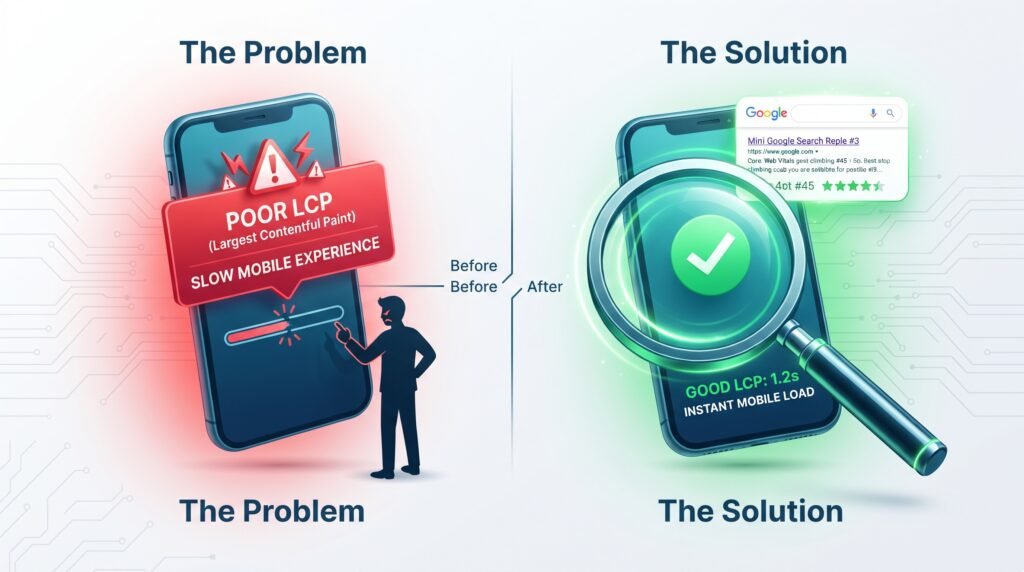
Core Web Vitals are metrics created by Google that measure real-world user experience. Specifically, they focus on loading speed, interactivity, and visual stability. Under updated performance guidelines, mobile experience takes center stage because a vast majority of internet traffic originates from handheld devices.
When a user opens your site on a smartphone, search engines closely evaluate these scores. Consequently, if your mobile performance lags behind, your overall search visibility suffers dramatically. As a result, this pushes your business below competitors who prioritize technical SEO and speed.
Identifying the Culprit: Understanding Poor LCP (Largest Contentful Paint)
One common bottleneck flagged in modern audits is a “Poor” rating for Largest Contentful Paint (LCP). LCP serves as a core pillar of Core Web Vitals. In addition, it measures how long it takes for the main visual element, such as a hero banner or heading, to fully load.
If your mobile LCP falls below target, users stare at a blank screen. Therefore, your overall performance score drops. Search engine crawlers interpret this delay as a poor experience, directly penalizing your rankings.
How Edge Computing Drives Technical SEO and Core Web Vitals
To combat slow loading speeds and boost Core Web Vitals globally, developers are turning to advanced architecture. Edge computing brings data processing closer to the user’s physical location instead of relying on a distant central server. By distributing server nodes worldwide, websites serve cached content instantly. Consequently, this dramatic reduction in latency improves performance metrics and elevates international visibility.
Actionable Steps to Fix Mobile Speed and Boost Core Web Vitals
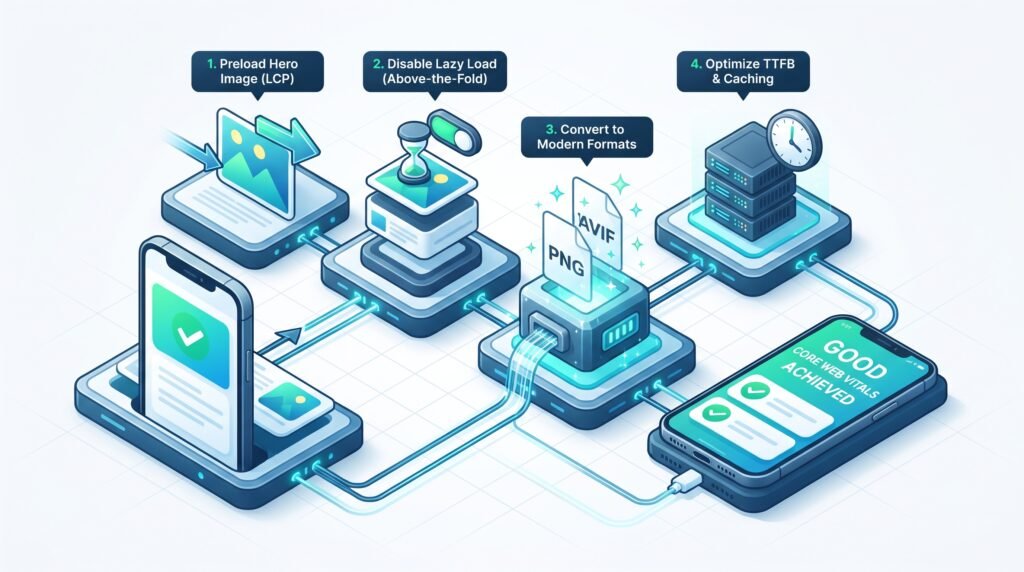
Fixing performance issues to elevate your technical score does not require a complete website overhaul. You can resolve most speed warnings by implementing targeted technical fixes:
1. Preload Your Hero Image
Identify the primary image that loads at the top of your mobile page. Ensure that you preload this visual asset directly in your browser settings. As a result, the browser prioritizes loading it before secondary scripts.
2. Disable Lazy Loading on Above-the-Fold Content
A common mistake that ruins site speed is applying lazy loading to every image. However, you must never use lazy loading for your top-of-the-page elements. Otherwise, it delays their rendering until the user scrolls.
3. Convert Images to Modern Formats
Replace heavy PNG or JPEG files with compressed formats like WebP or AVIF. Keeping visual assets under 100KB reduces rendering time on mobile networks. Therefore, this action instantly lifts your metrics into the “Good” range.
4. Optimize Your Server Response Time (TTFB)
A slow server delays everything. Enable reliable page caching, leverage browser caching, and utilize a Content Delivery Network (CDN). Ultimately, this ensures lightning-fast backend delivery, which is essential for passing performance assessments.
Conclusion
Mastering Core Web Vitals and fixing mobile speed bottlenecks is an ongoing investment. By addressing backend performance and eliminating script bloat, you protect your search engine rankings. Moreover, you deliver an effortless experience to your clients.
Ready to supercharge your performance, fix your Core Web Vitals, and climb Google search results? Get in touch with Traders Junction today for professional web development and technical SEO solutions tailored to grow your business!
Frequently Asked Questions (FAQs)
1. What are Core Web Vitals and why are they important?
Core Web Vitals are metrics created by Google that measure page speed, interactivity, and visual stability. Furthermore, they are crucial because search engines use them as ranking factors.
2. How can I fix a “Poor” LCP rating on mobile?
To fix a poor LCP rating, you should identify and preload your hero image. Additionally, you must disable lazy loading on above-the-fold elements and compress images.
3. Do Core Web Vitals affect small business SEO?
Yes, they do. Small business websites failing these checks often experience lower mobile conversions and suppressed search rankings.
4. How often should I check my website’s performance metrics?
It is recommended to audit your performance metrics at least once a month. Alternatively, you should check them immediately after making major design updates.